How Cloud Storage Works: Beginner-Friendly Explanation (2026)

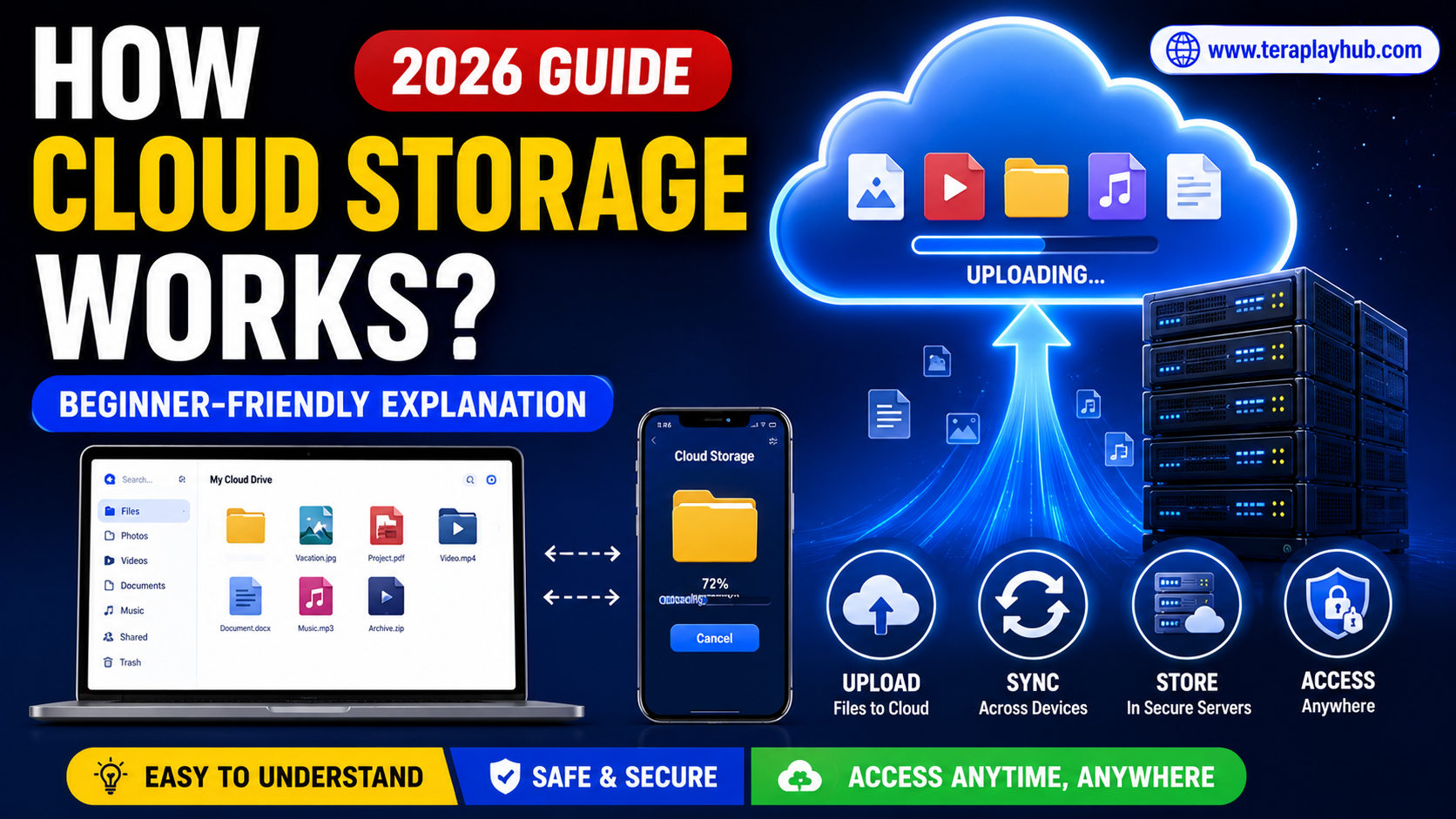
How Cloud Storage Works: Beginner-Friendly Explanation (2026)
Cloud storage has become part of everyday life. People use it for storing photos, videos, documents, backups, and even movies online.
Popular services like:
- Google Drive
- TeraBox
- Dropbox
- OneDrive
- MEGA
are used by millions of people daily.
But many beginners still ask an important question:
“How does cloud storage actually work?”
If you are confused about cloud storage, don’t worry.
This guide explains everything in a simple and beginner-friendly way without complicated technical terms.
By the end of this article, you will clearly understand:
- What cloud storage is
- How files are uploaded
- Where files are stored
- How syncing works
- How cloud security works
- Why cloud storage is useful
Let’s start from the basics.
What is Cloud Storage?
Cloud storage is a system that allows users to save files on internet servers instead of storing everything only on local devices.
Normally, when you save a file on your phone or computer, it stays inside that device’s storage.
But with cloud storage:
- Files are uploaded to remote servers
- Data stays online
- You can access files anytime using the internet
Think of cloud storage like a digital locker on the internet.
Simple Real-Life Example
Imagine you have:
- 5,000 photos
- Large videos
- Important documents
If your phone gets damaged, all files could be lost.
But if those files are uploaded to cloud storage:
- They stay safe online
- You can recover them anytime
- You can access them from another device
This is why cloud storage is so useful today.
Where Are Cloud Files Stored?
Your files are stored inside huge data centers.
These data centers contain thousands of powerful computers called servers.
Companies like Google, Microsoft, and Amazon own massive server facilities around the world.
These servers work 24/7 to:
- Store data
- Process requests
- Deliver files quickly
What Happens When You Upload a File?
Let’s understand the process step-by-step.
Step 1: You Select a File
For example:
- A photo
- A movie
- A PDF document
You choose the file from your phone or computer.
Step 2: File Gets Sent Through Internet
The file travels through your internet connection to the cloud company’s server.
This process is called:
Uploading
Upload speed depends on:
- Internet speed
- File size
- Server performance
Step 3: Cloud Server Stores the File
Once uploaded:
- The server saves your file
- The system links it to your account
- Metadata gets created
Metadata includes:
- File name
- Upload date
- File size
- Folder location
Step 4: File Becomes Accessible Anywhere
Now you can access the file from:
- Mobile phone
- Laptop
- Tablet
- Smart TV
- Web browser
You simply login to your cloud account.
How Downloading Works
Downloading is the opposite process.
When you click a file:
- Cloud server receives request
- Server locates your file
- File transfers through internet
- Device receives data
This is why internet speed matters for cloud storage.
What is File Syncing?
Syncing is one of the most useful cloud features.
It means files stay updated across all connected devices automatically.
Example of Syncing
Imagine you edit a document on your laptop.
Cloud syncing automatically updates the same file on:
- Your phone
- Tablet
- Other connected devices
This creates a seamless experience.
How Automatic Backup Works
Many cloud apps include backup systems.
Backup means automatically saving important files online.
For example:
- Phone photos upload automatically
- Videos sync daily
- Documents backup in background
This protects users from losing data.
Why Cloud Storage is Popular
Cloud storage became popular because it solves many problems.
1. Saves Device Storage
Large files no longer need to stay only on your phone.
You can store them online instead.
2. Easy Access Anywhere
You can access files from any device with internet.
3. Better Backup Protection
If your device breaks, files stay safe in cloud storage.
4. Easy File Sharing
Cloud platforms make sharing files very simple.
You can generate links and send them instantly.
Types of Cloud Storage
There are different types of cloud storage systems.
Personal Cloud Storage
Used by normal users for:
- Photos
- Videos
- Documents
- Backups
Examples:
- Google Drive
- TeraBox
- Dropbox
Business Cloud Storage
Used by companies for:
- Team collaboration
- Office documents
- Project management
- Secure backups
Examples:
- Microsoft OneDrive
- Google Workspace
Private Cloud Storage
Some organizations create private cloud systems for internal security.
This is common in large companies.
Is Cloud Storage Safe?
Most major cloud services use advanced security systems.
Security methods include:
- Encryption
- Password protection
- Two-factor authentication
- Secure servers
However, users should still follow good safety habits.
What is Encryption?
Encryption converts files into unreadable code during transfer and storage.
Only authorized users can access the original data.
This helps protect files from hackers.
Common Cloud Storage Security Features
| Feature | Purpose |
|---|---|
| Password Login | Protects accounts |
| Encryption | Secures files |
| Two-Factor Authentication | Extra login security |
| Backup Systems | Prevents data loss |
| File Recovery | Restores deleted files |
What Happens if Internet Stops?
Without internet:
- Uploading stops
- Downloading stops
- Syncing pauses
However, many apps allow offline access to selected files.
Once internet returns, syncing resumes automatically.
Why Upload Speed and Download Speed Matter
Cloud performance depends heavily on internet speed.
Upload Speed
Affects how fast files move to cloud servers.
Important for:
- Video creators
- Backup users
- Large file transfers
Download Speed
Affects how quickly files open or download.
Important for:
- Streaming
- Sharing
- File access
What is Cloud Streaming?
Some cloud services allow direct video playback without downloading the entire file.
Examples include:
- TeraBox
- Google Drive
- pCloud
This is useful for:
- Movies
- Tutorials
- Personal videos
Difference Between Local Storage and Cloud Storage
| Local Storage | Cloud Storage |
|---|---|
| Stored on device | Stored online |
| Limited space | Flexible storage |
| Risk of device damage | Safer backups |
| No internet needed | Internet required |
| Harder to share | Easy sharing |
Both systems are useful in different situations.
Most Popular Cloud Storage Services in 2026
Google Drive
Best for productivity and collaboration.
TeraBox
Popular for huge free storage.
Dropbox
Known for smooth syncing.
OneDrive
Best for Windows users.
MEGA
Focused heavily on privacy and encryption.
Common Myths About Cloud Storage
Myth 1: Cloud Storage is Unsafe
Reality:
Major platforms use advanced security technologies.
Myth 2: Cloud Storage is Only for Businesses
Reality:
Millions of normal users use cloud storage daily.
Myth 3: Cloud Storage Replaces Backups Completely
Reality:
Experts still recommend keeping offline backups too.
Tips for Using Cloud Storage Safely
- Use strong passwords
- Enable two-factor authentication
- Avoid suspicious links
- Backup important files locally
- Do not share account credentials
Good habits improve account security significantly.
Frequently Asked Questions
Is cloud storage free?
Many services provide free plans with limited storage.
Can cloud storage lose files?
Major services are reliable, but keeping multiple backups is still recommended.
Do I need internet for cloud storage?
Yes, internet is required for online access and syncing.
Which cloud storage is best for beginners?
Google Drive and TeraBox are beginner-friendly options.
Final Words
Cloud storage may sound technical at first, but the basic idea is actually very simple.
It allows users to:
- Store files online
- Access data anywhere
- Create backups
- Sync files across devices
- Share content easily
In 2026, cloud storage has become one of the most useful technologies for students, professionals, creators, and everyday users.
Whether you use:
- Google Drive
- TeraBox
- Dropbox
- OneDrive
understanding how cloud storage works helps you use these platforms more safely and efficiently.
We hope this beginner-friendly guide made cloud storage easy to understand.
Most Popular Posts
How to Use TeraBox on Smart TV (Samsung, Android TV & Fire TV)
TeraBox for PC: Web Version vs Desktop App (Complete 2026 Comparison Guide)
TeraBox Storage Full? How to Clean Up and Manage 1TB Data Efficiently
How to Share TeraBox Files Safely in 2026 (Private Links, Passwords & Security Tips)
TeraBox Free vs Premium: Is Upgrading Really Worth It in 2026?